Nostradamus
Designing an AI research platform for investment teams
Challenge and my role
The challenge was not one feature. It was how the product worked as a whole.
The platform supported several complex research jobs. Users could begin in Dealspaces, Lists, Spotlight, My Insights, or the AI Bar, then move between them as their work developed. Each area was useful on its own, but the relationships, system states, and next actions were difficult to explain in a single journey.
Product challenge
Many tools, many valid starting points
A researcher might start with a company, a list, a market question, or an existing workspace. The experience needed to support each path without feeling fragmented.
My contribution
Designing the connections, not only the screens
I mapped the platform, reviewed its main workflows, helped run the Custom Properties workshop, and designed key journeys across research, generation, and collaboration.
Mapping the platform
Before changing individual screens, I mapped how the product actually worked.
I reviewed six connected areas: Dealspaces, Lists, Custom Properties, the AI Bar and Threads, Spotlight, and My Insights. The map documented where users could enter, what they created, where their work could move next, and which empty, loading, error, permission, and generation states had to be designed.
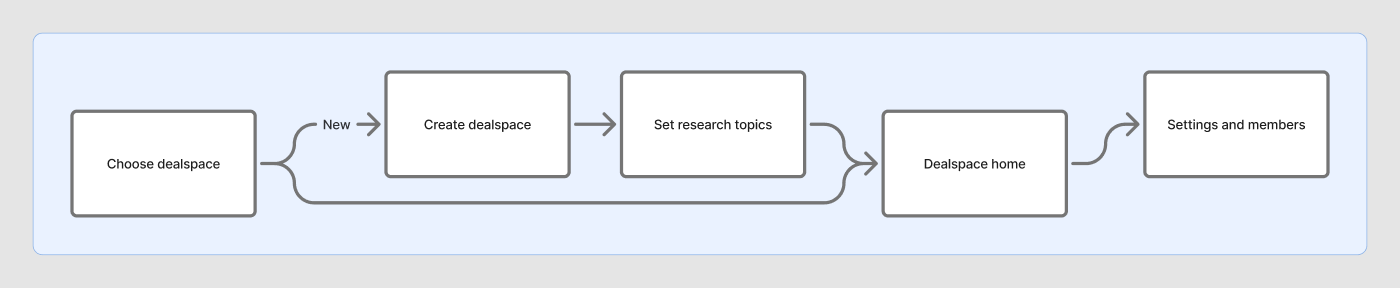
01 · Dealspaces
Create a workspace, define the research context, invite others, and return to saved work.
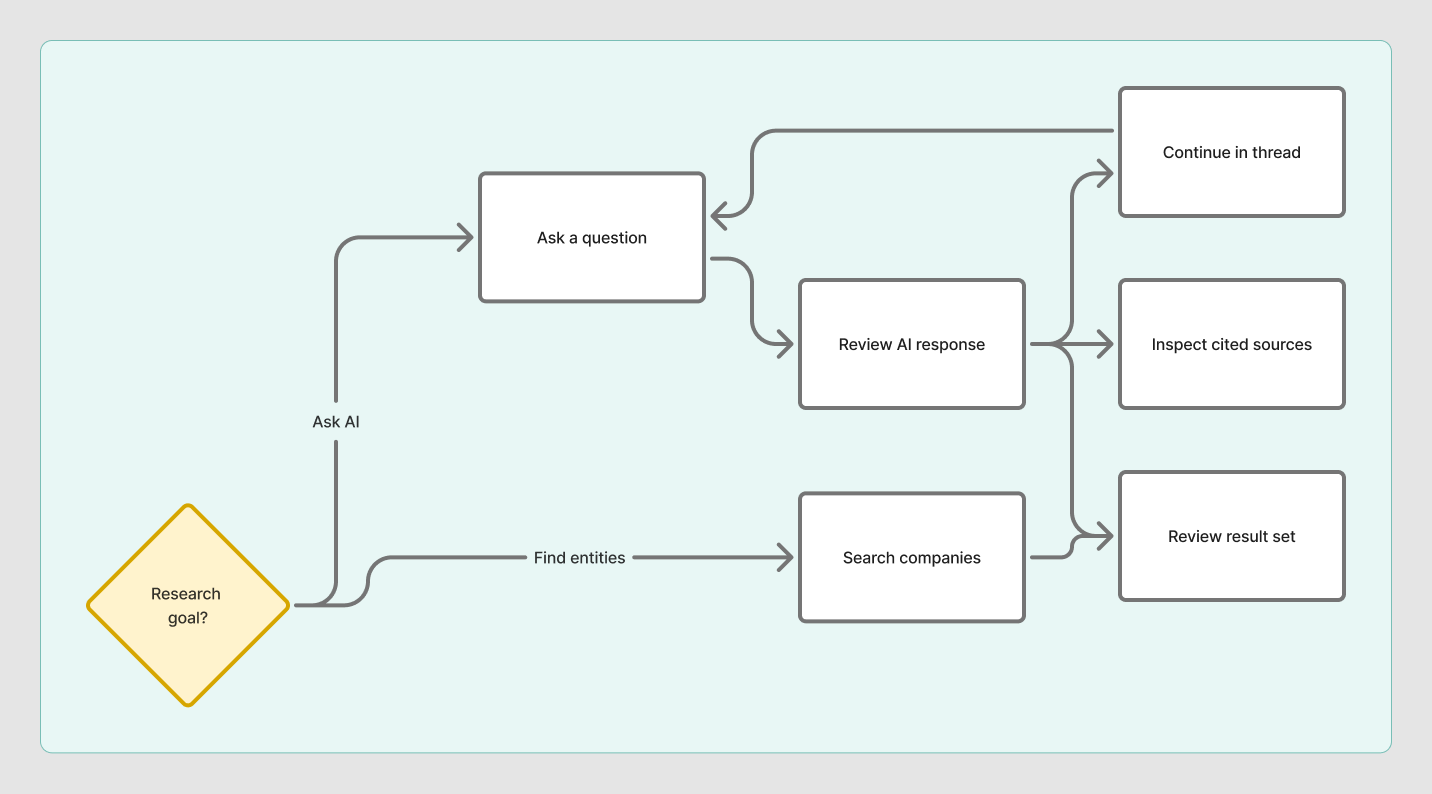
02 · Discovery and AI
Start with a search or question, review an AI response, inspect sources, and continue in a Thread.
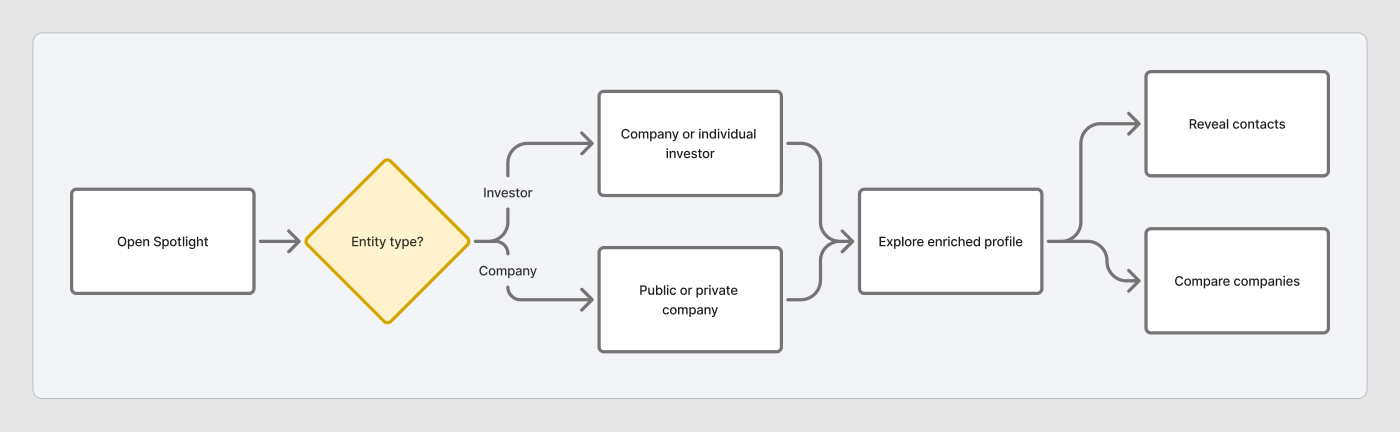
03 · Spotlight
Open a company or investor profile, explore evidence, compare entities, and reveal contacts.
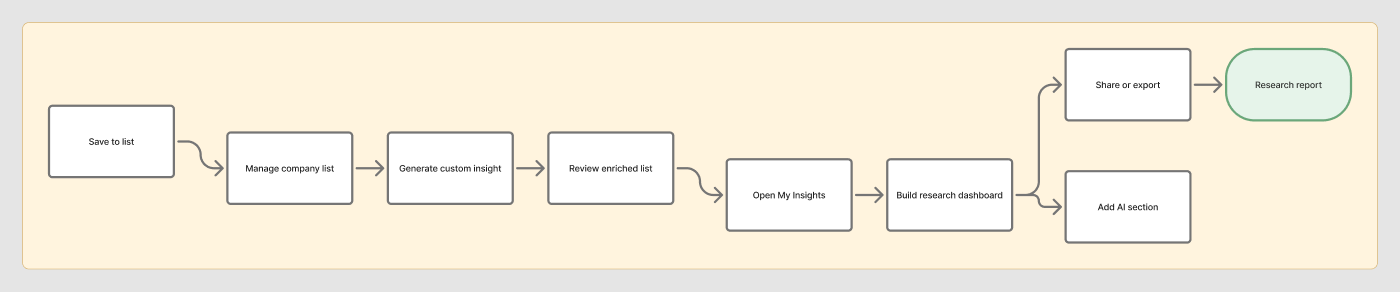
04 · Research outputs
Save a company set, enrich a List, generate an Insight, share a report, or open a discussion.
This is a simplified view. The full working map includes branches, state coverage, and recovery paths.
Research: Custom Properties workshop
We used a workshop to decide how much control the AI workflow should expose.
Custom Properties let researchers add AI-generated fields to a company list. The form was only one part of the problem. Users also had to choose a source and data type, understand what would be generated, check the quality, and stay informed while the task was running.
Workshop activities
- •Stakeholder and problem mapping
- •User groups, context, and empathy mapping
- •Experience map and persona
- •Worst competitor exercise
- •Grouping and impact-effort prioritization
What the workshop changed
Several needs appeared repeatedly: preview a result before launch, explain the source, show progress, let users refine the prompt, and allow them to edit or recover without starting over.
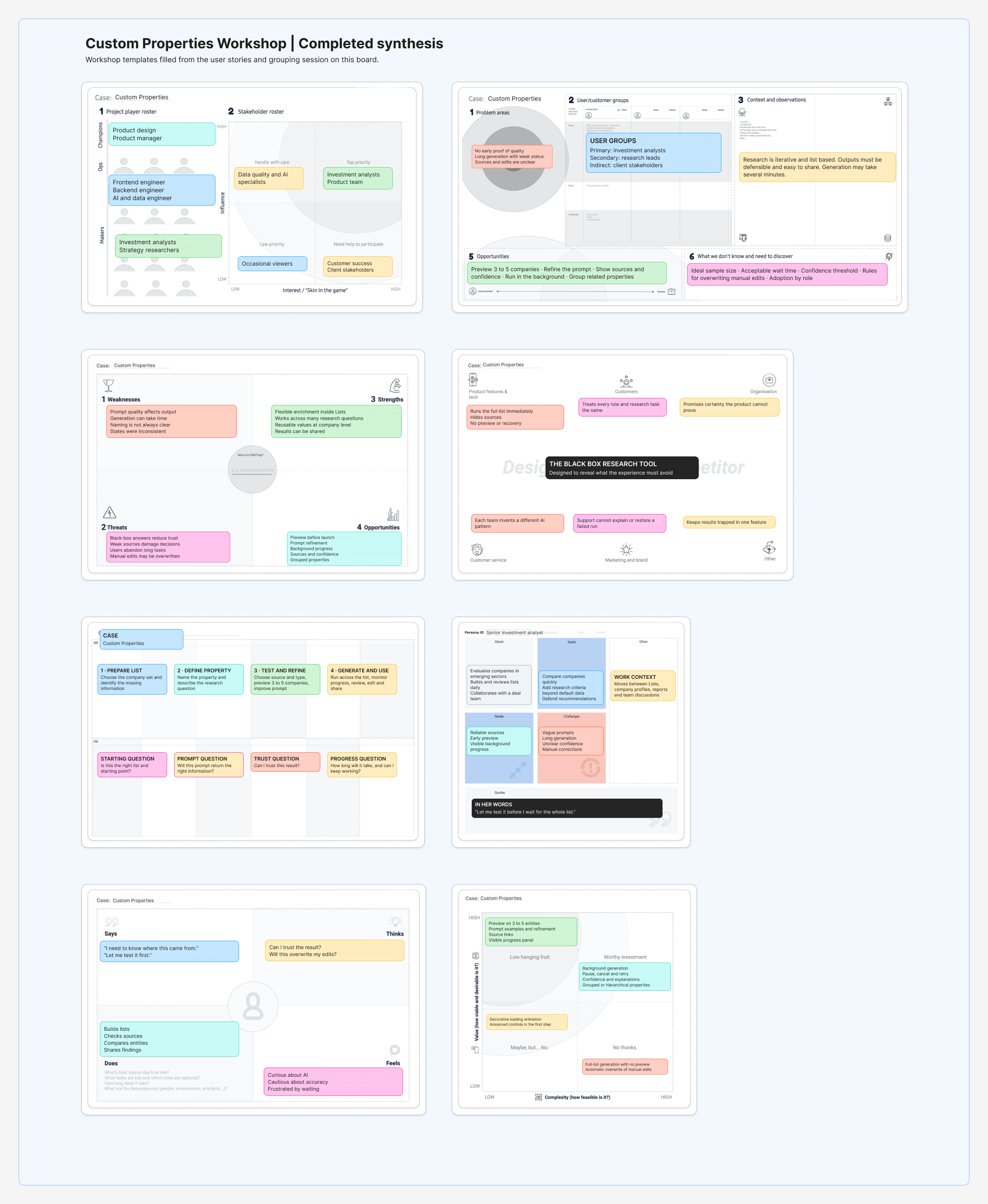
The clearest decision was to let users preview a small sample before applying the property to the full list.This made prompt quality and source problems visible before users committed to a longer generation task.
Custom Properties
The final flow lets users test the result before applying it to the full list.
I divided the task into clear decisions. Users name and describe the property, choose the information source and output type, select up to five companies for testing, review the preview, then launch generation. Once it starts, progress remains visible from the list.
- 01Describe the property
- 02Choose source and type
- 03Preview on a sample
- 04Launch and monitor
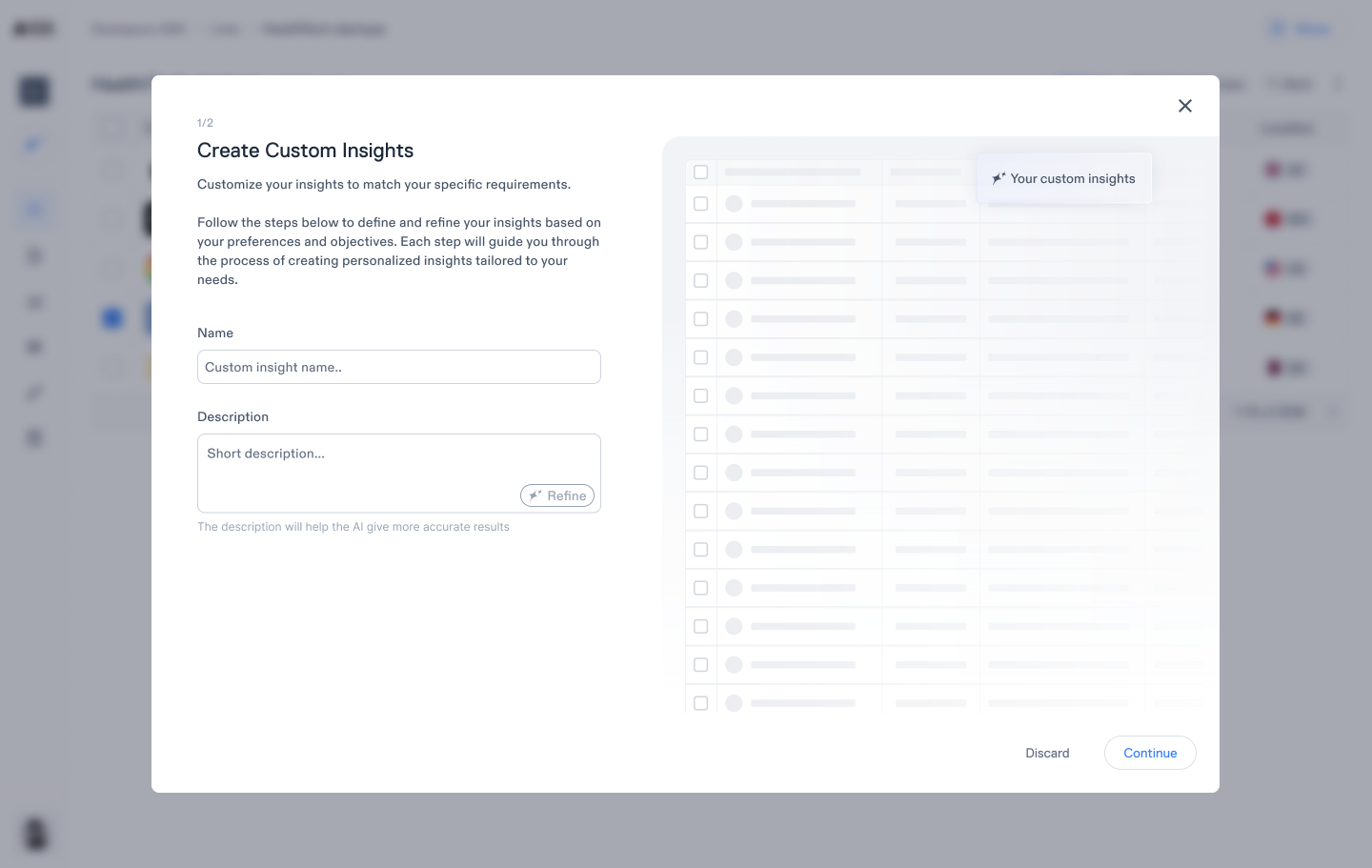
Describe the property
Users describe the information they want without configuring the full task at once.
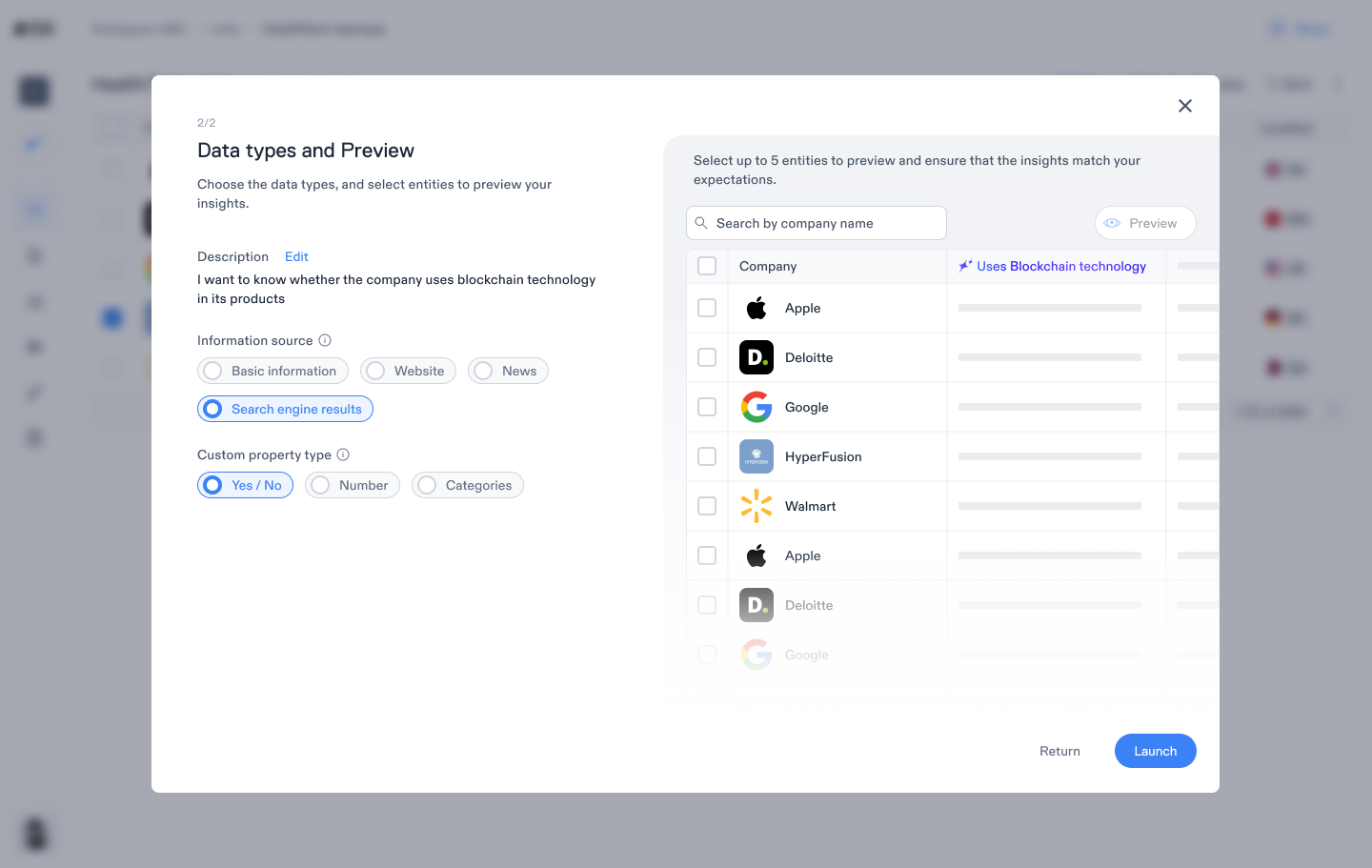
Choose source and type
Source, output type, and sample companies make the request more precise.
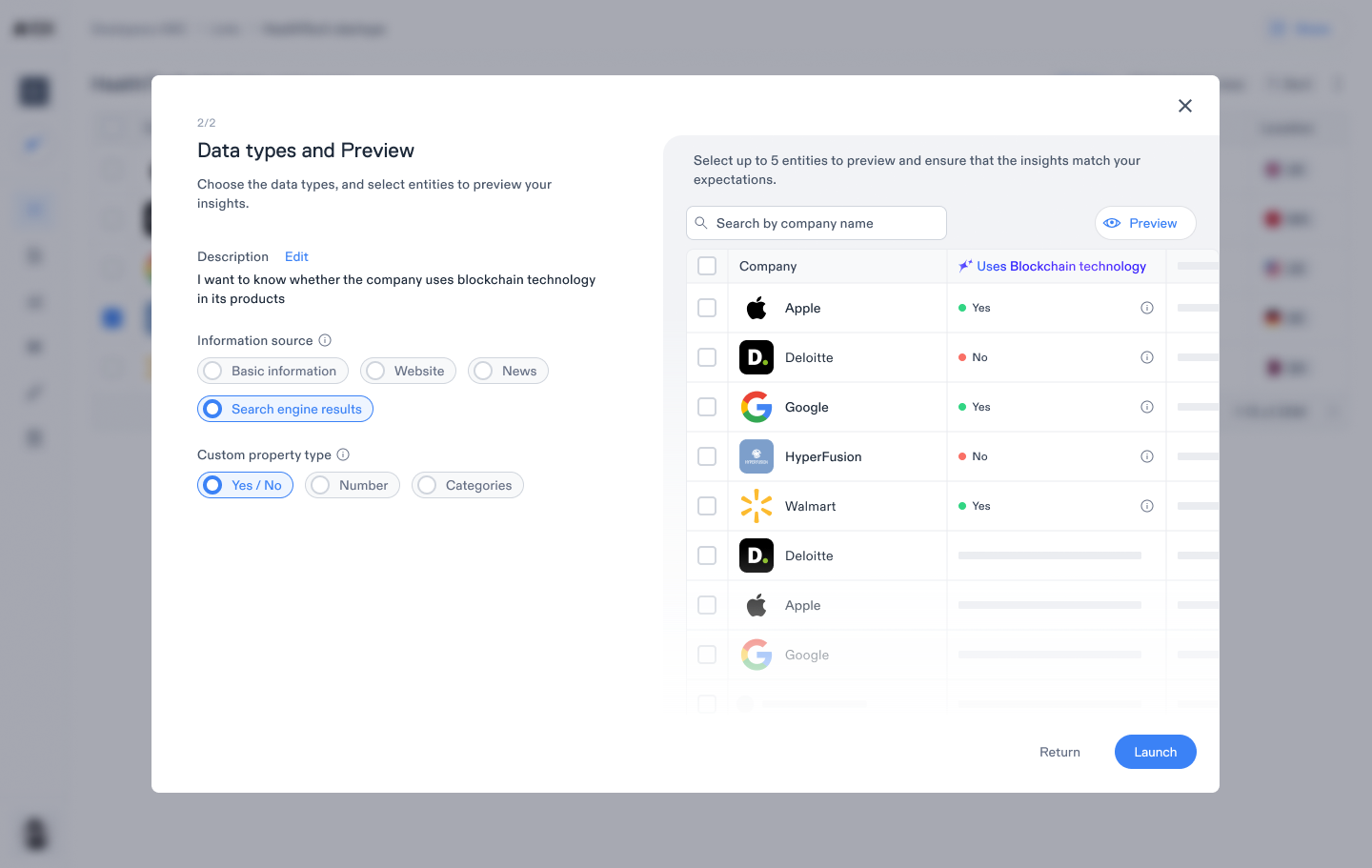
Preview on a sample
The sample exposes weak prompts or unsuitable sources before a larger run.
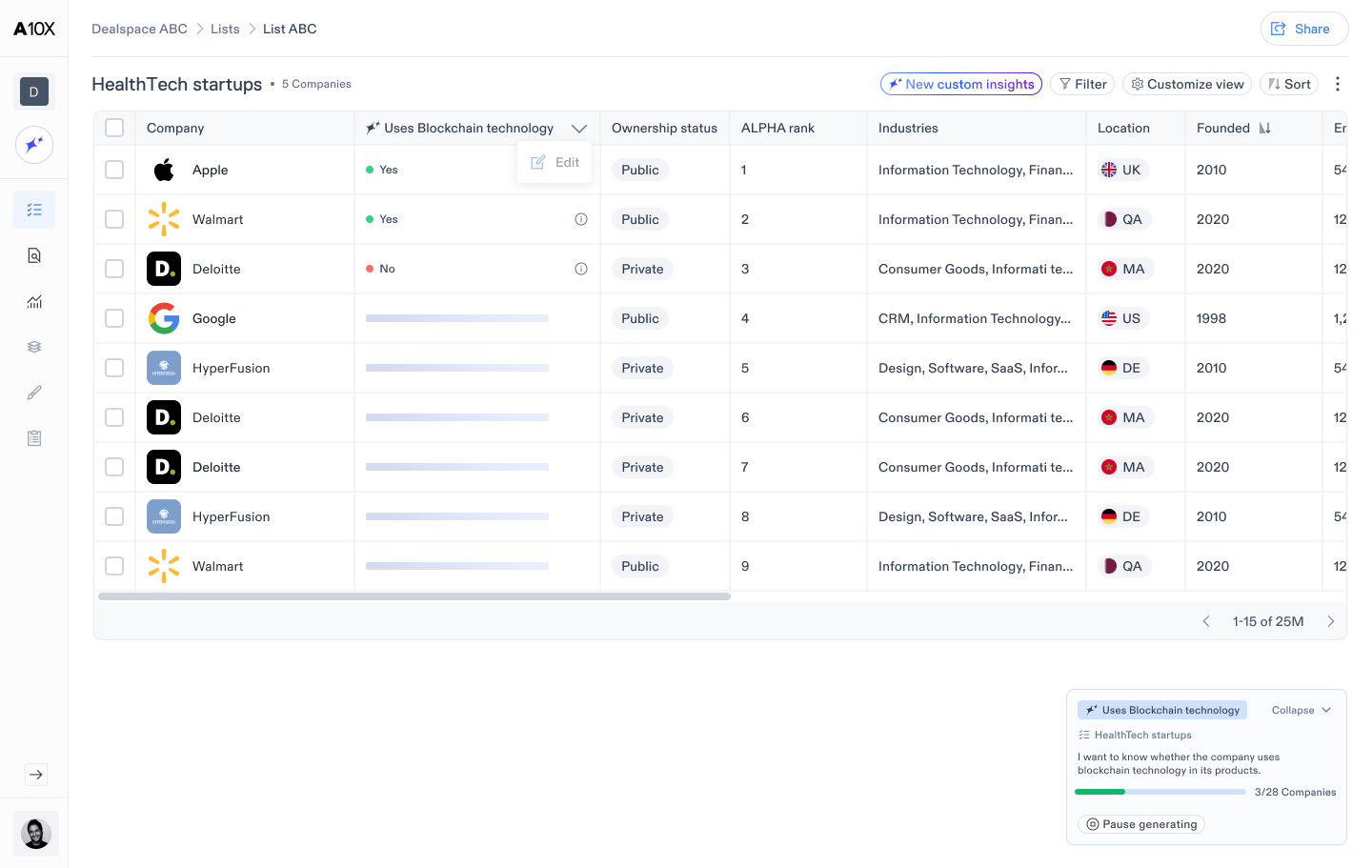
Launch and monitor
A progress panel keeps the task visible while users continue working.
AI Bar and Threads
I designed the AI Bar for both quick answers and longer investigations.
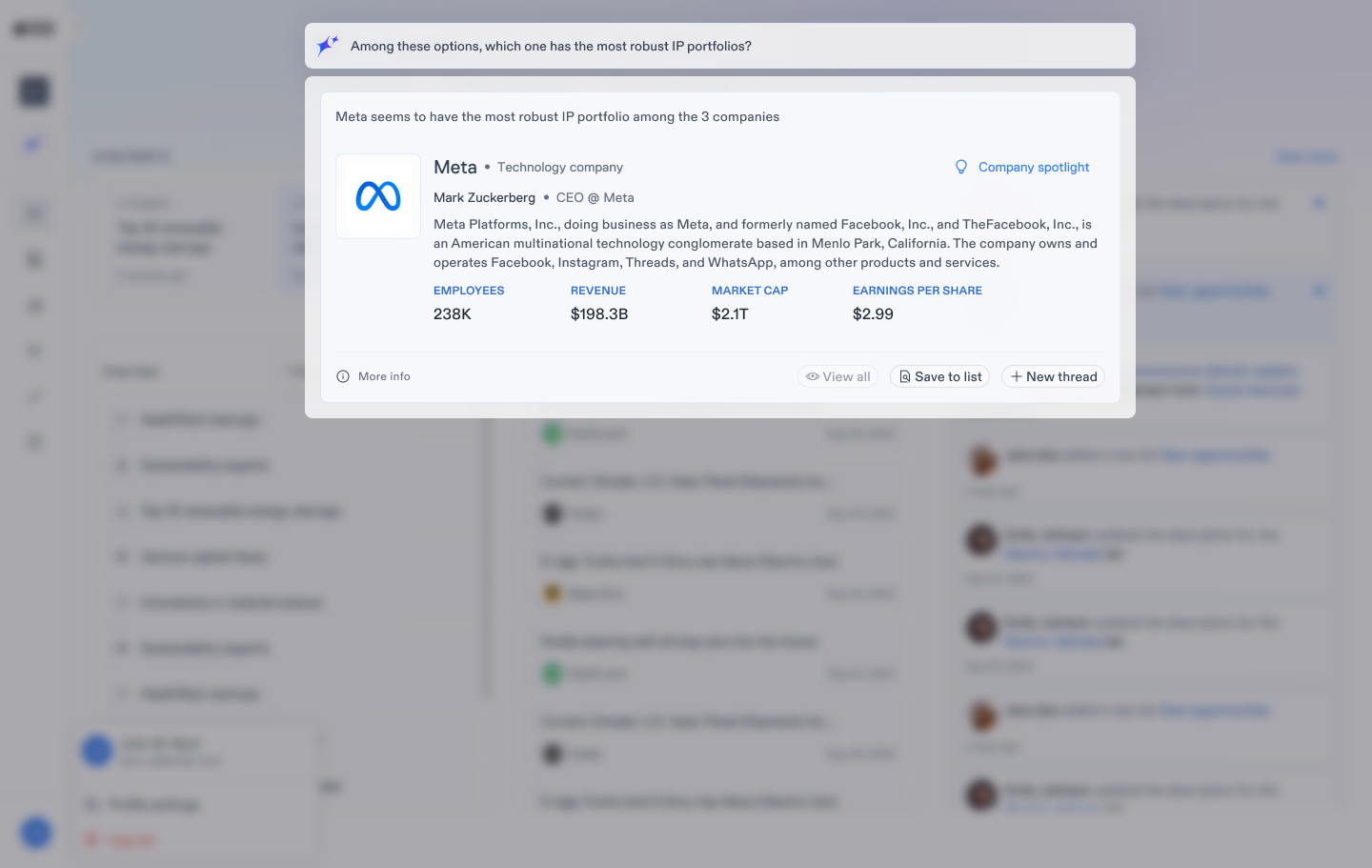
The AI Bar is available across the product. It supports direct company search, suggested questions, and open prompts. Responses are organized so users can scan the result, inspect sources, and continue with follow-up questions in a saved Thread.
Prompt support
Suggestions help users begin with a useful question.
Evidence
Sources stay attached to the answer.
Continuity
Threads preserve the question history and follow-up work.
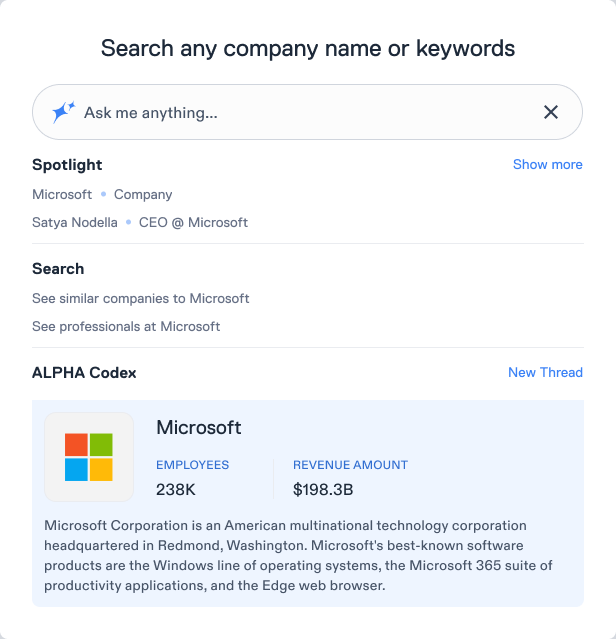
Prompt suggestions
Search, suggested actions, and known entities give users several ways to begin.
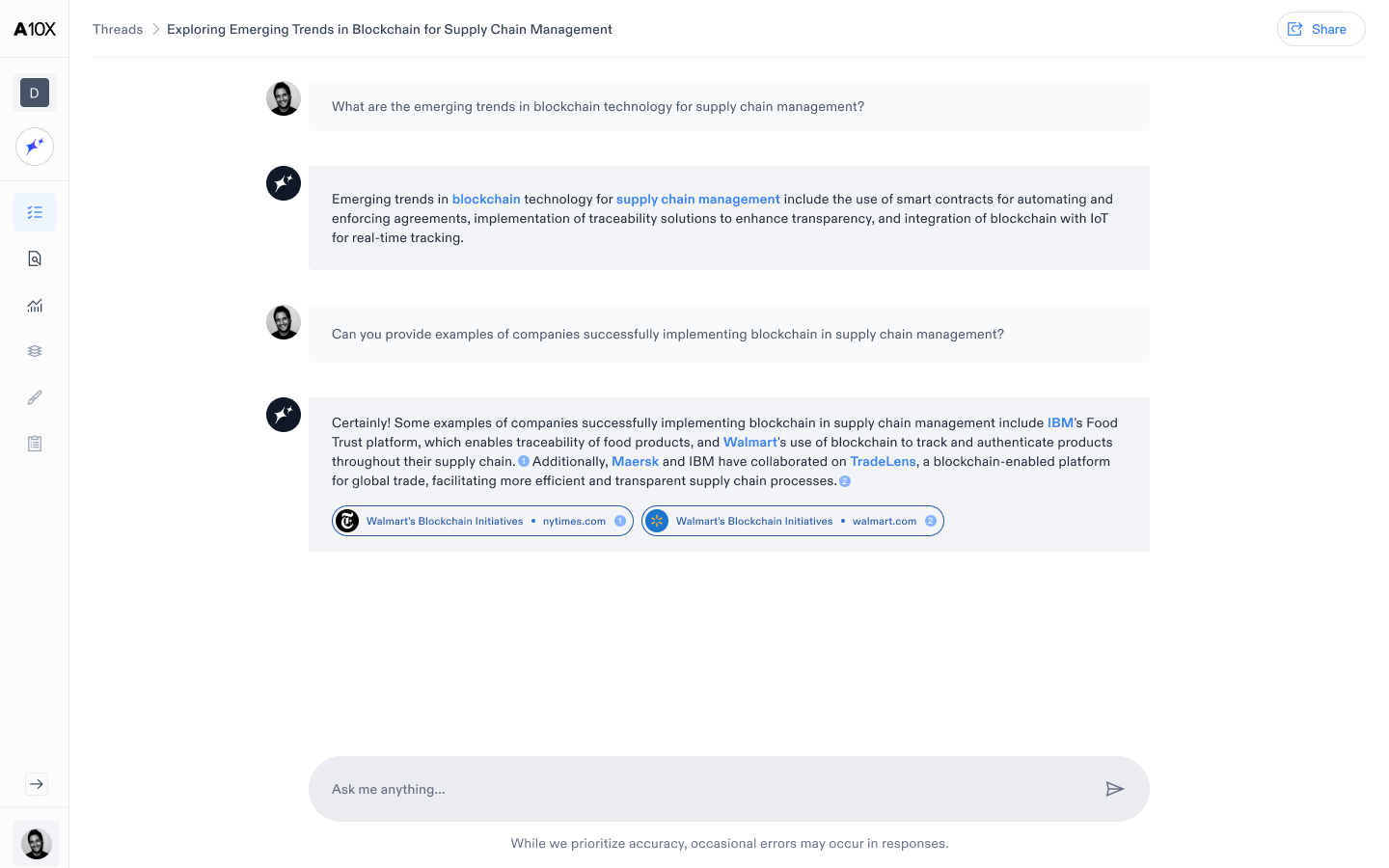
A persistent research thread
Follow-up questions stay connected to the original context.
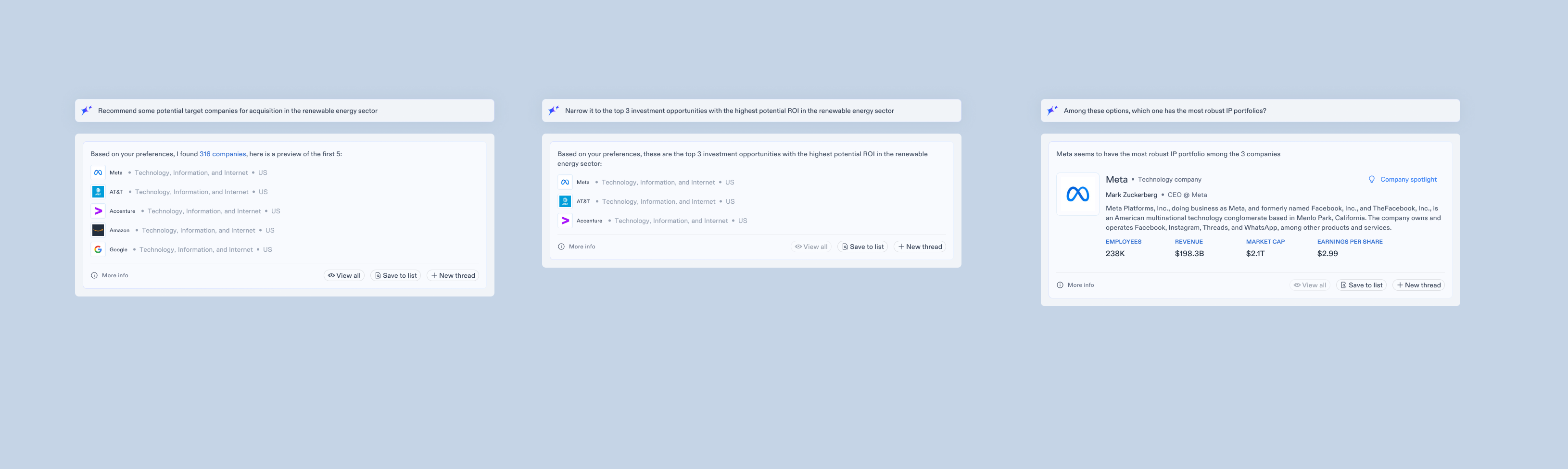
Structured, sourced answer
The response separates findings, sources, and possible next actions.
Dealspaces
Dealspaces bring one research project into a shared workspace.
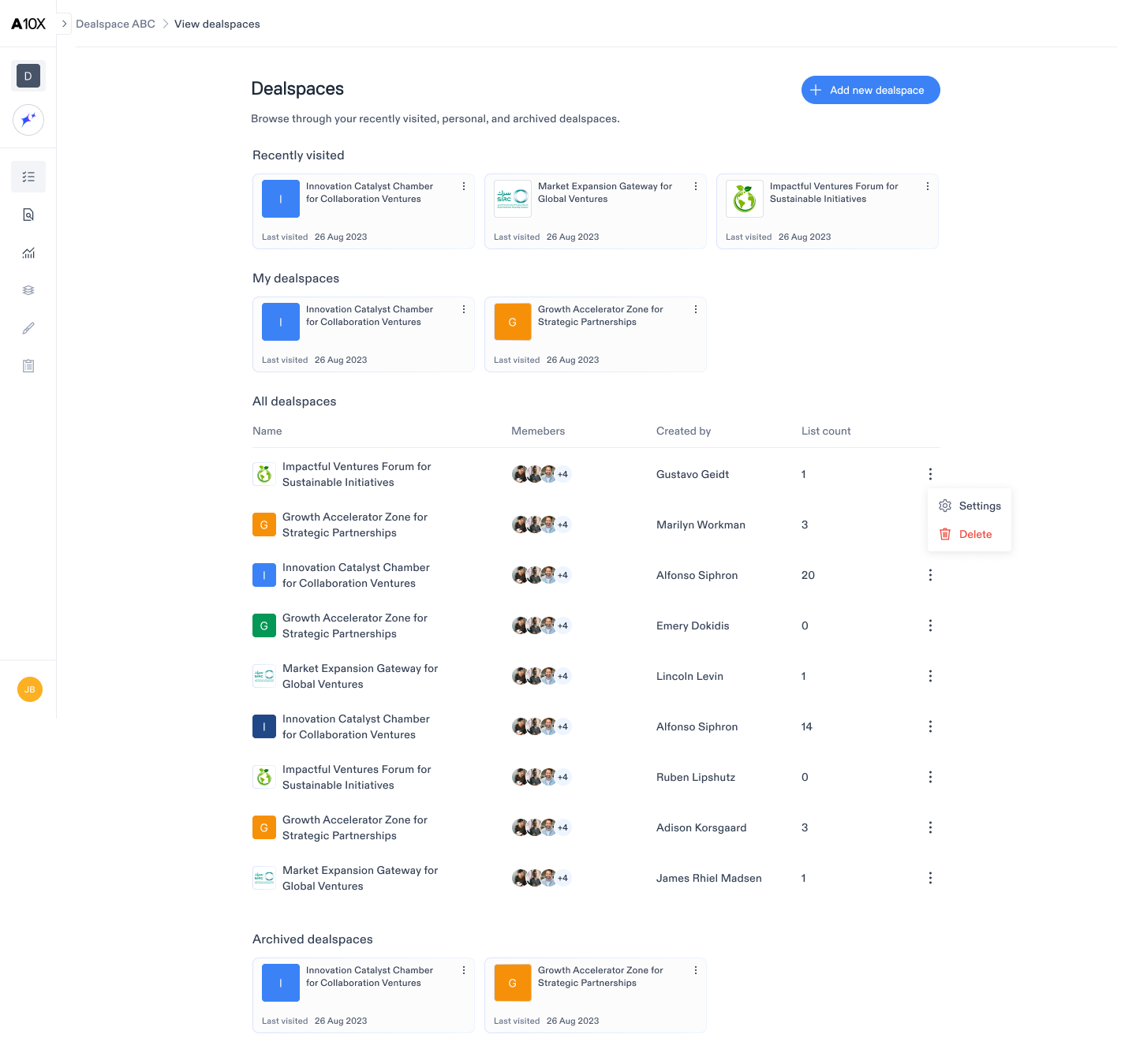
A Dealspace groups the companies, lists, questions, and generated work that belong to the same investigation. The setup captures a name, description, and research topics. The home view then helps the team return to recent activity and continue exploring without losing the project context.
Design goal
Make a new Dealspace useful immediately, then let it grow as the research develops.
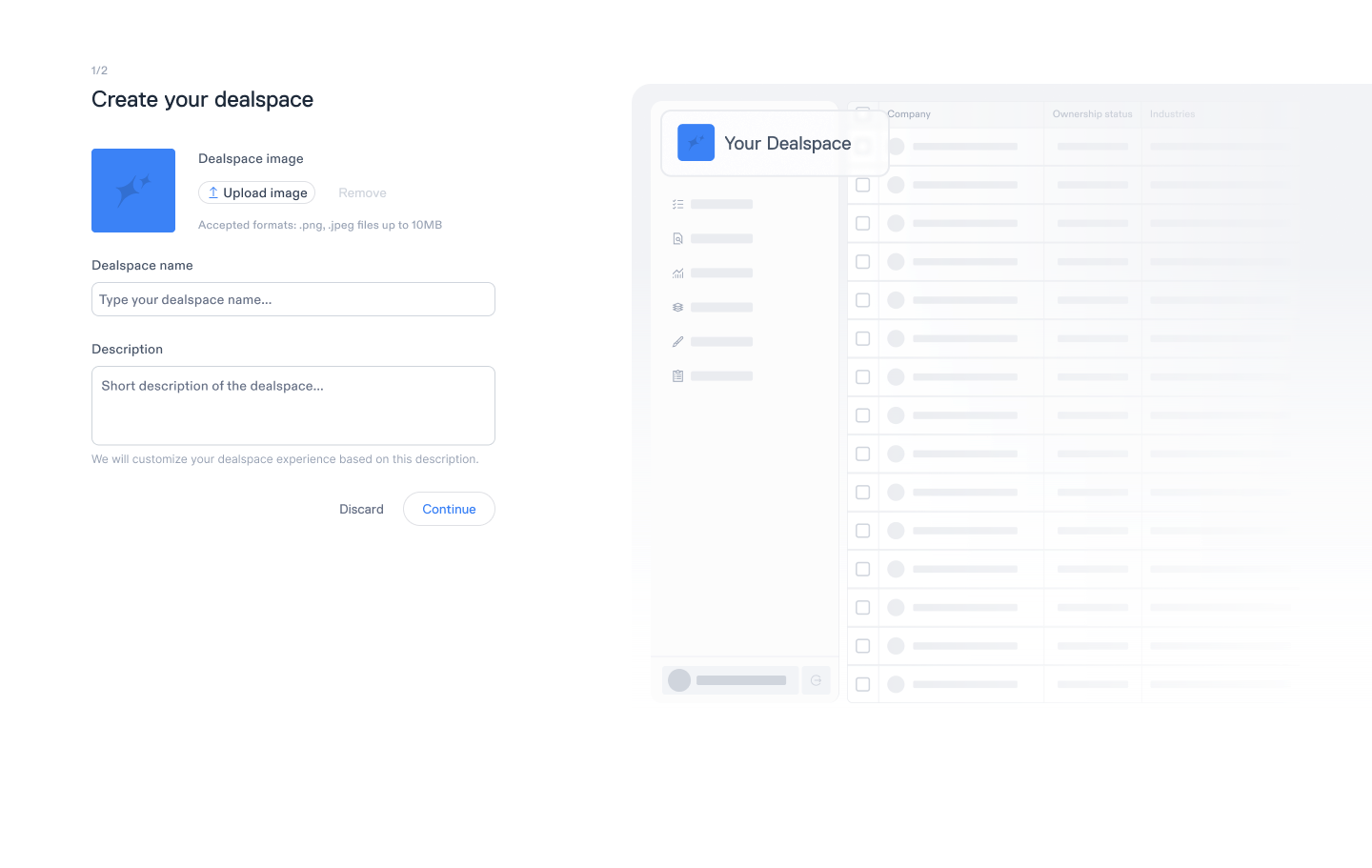
Create the workspace
The setup establishes the project purpose and the first research topics.
Return to active work
Recent activity and relevant items show where the team left off.
Explore in context
Search and company exploration remain connected to the current Dealspace.
Spotlight and My Insights
I designed two different outputs for two different research goals.
Spotlight answers an entity question: what do we know about this company, investor, or person? My Insights answers a strategic question: what does the evidence say about a market or research theme? Both use the same platform data, but they support different ways of reviewing and sharing it.
Spotlight: build a defensible view of an entity
The overview prioritizes fast scanning. Deeper sections support company analysis, comparisons, contacts, and a shareable report when the research needs to move beyond the platform.
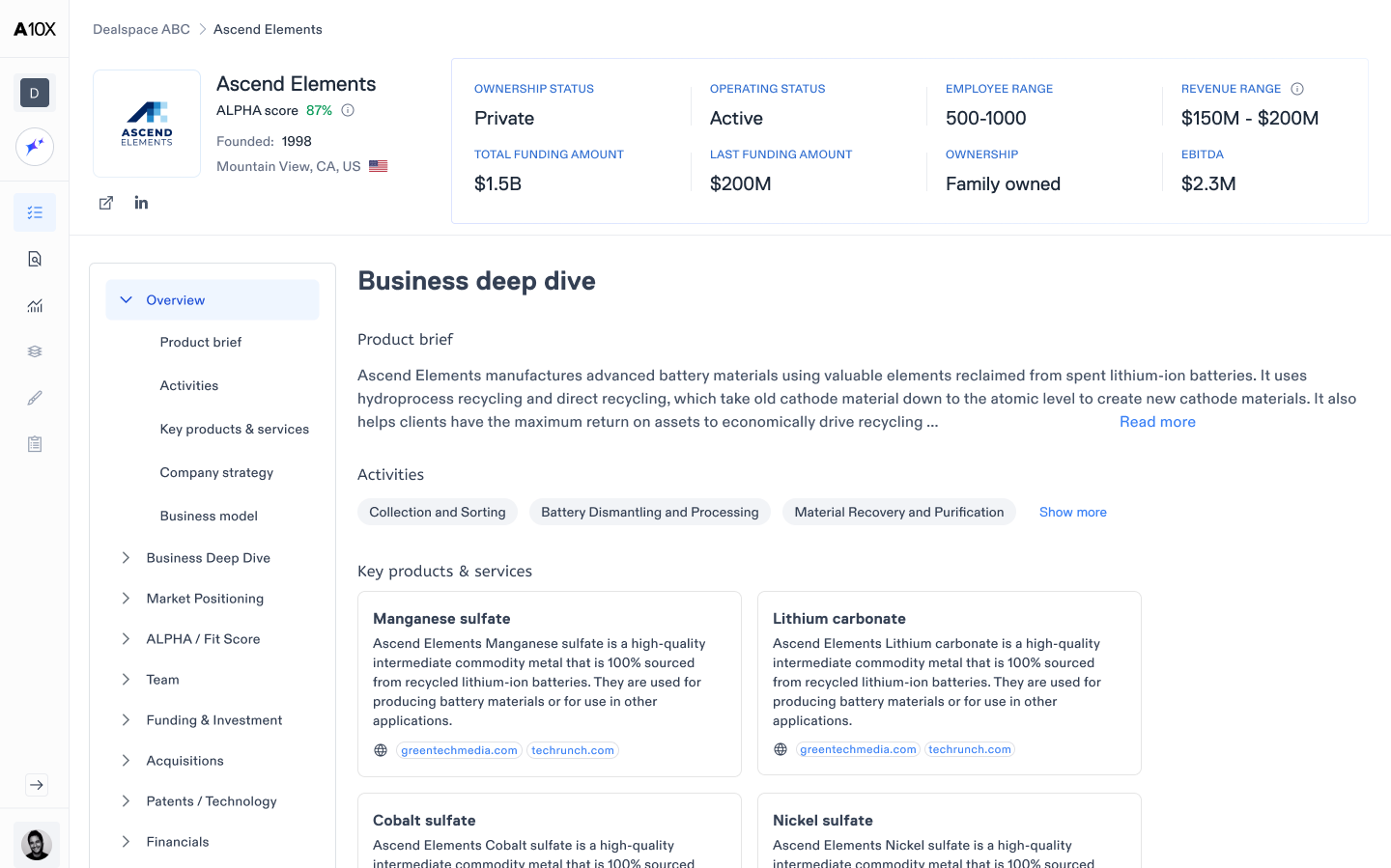
Entity intelligence
Key company information and deeper analysis live in one place.
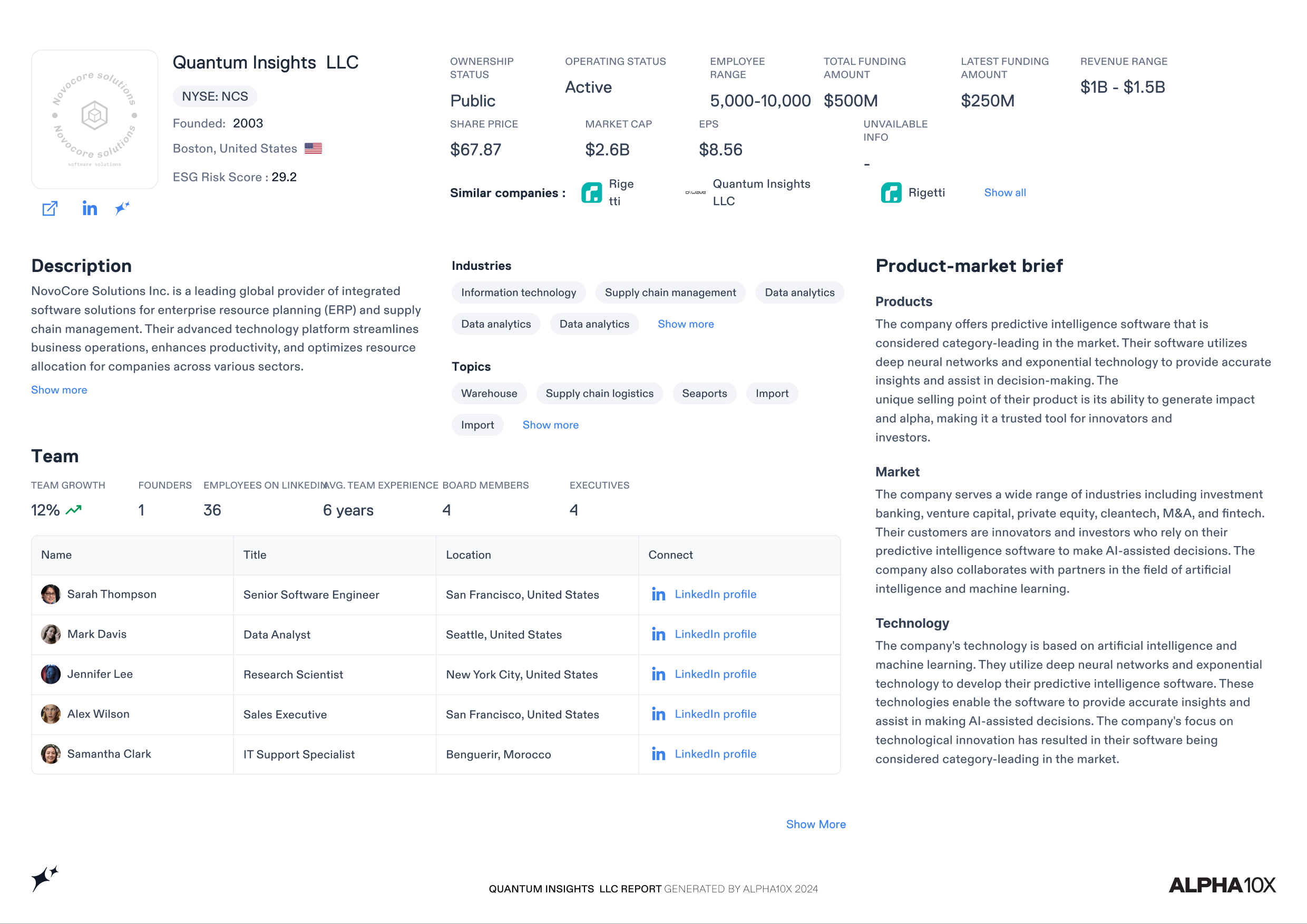
Shareable report
The same research becomes a structured output for review and decisions.
My Insights: turn a research theme into a reusable dashboard
Users define the subject and framing, then receive a structured dashboard with generated sections and recommended actions. The result can be revisited, shared, or exported.
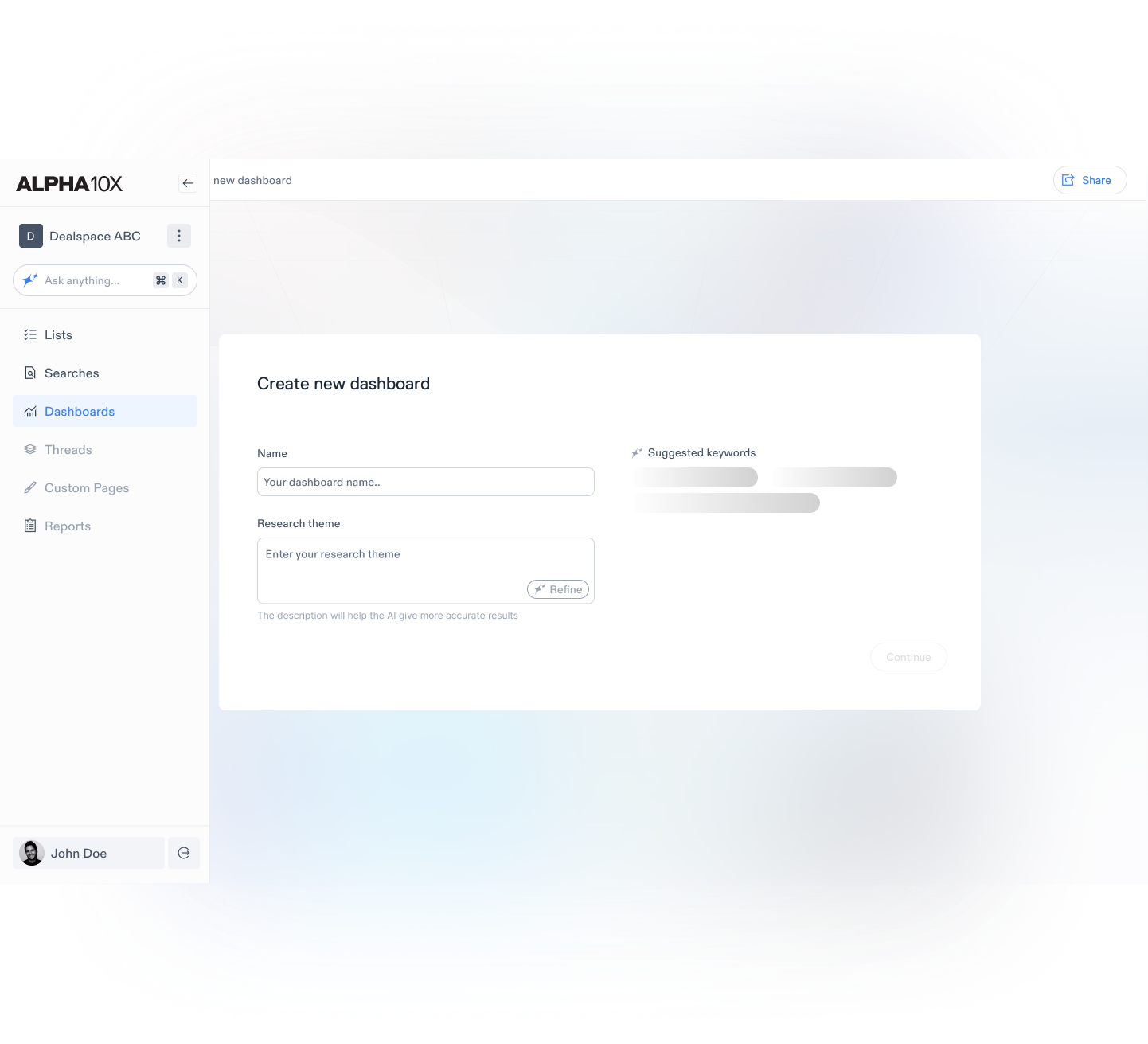
Create the dashboard
The setup captures the topic, research theme, and intended output.
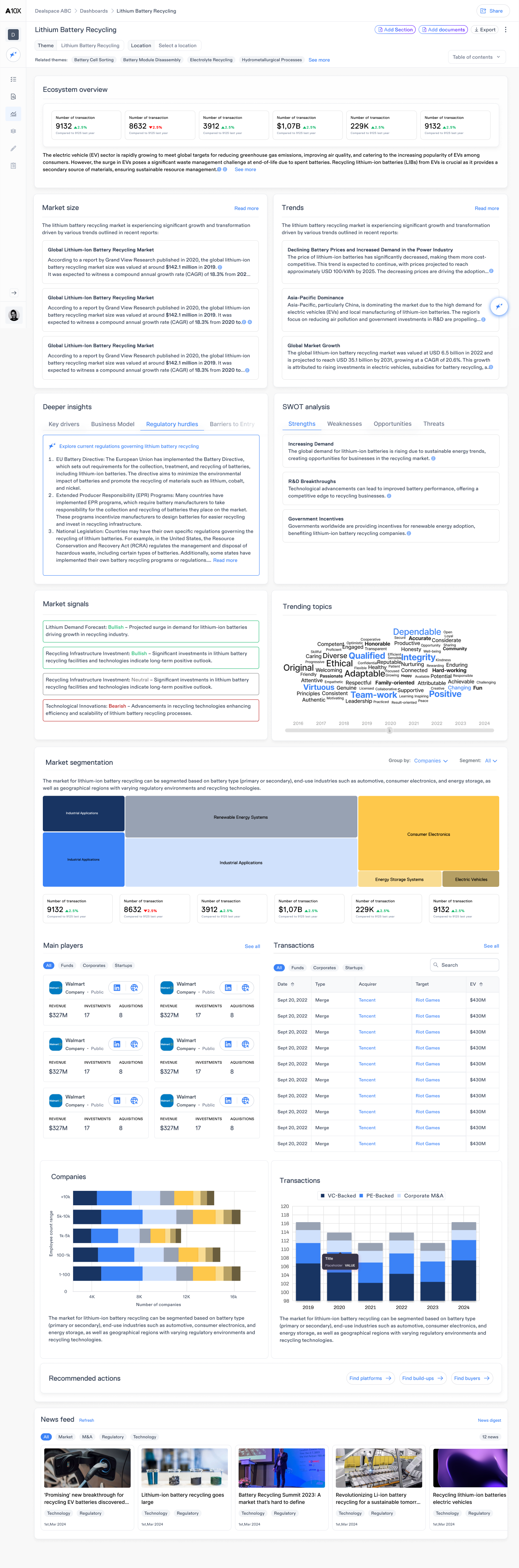
Review and act
Generated sections support review, sharing, export, and the next task.
Outcomes and learnings
The clearest outcome was a more consistent way to design AI-assisted work.
The work connected separate product areas through shared interaction principles: start with a clear purpose, show what the system is doing, keep evidence visible, and give users a next action. I do not have publishable adoption metrics, so I am describing the outcomes through the design changes I can show.
Platform structure
The ecosystem map made entry points, handoffs, and missing states visible across the product.
AI interaction
Preview, sources, progress, and recovery became recurring requirements instead of one-off solutions.
Reusable patterns
The same interaction logic could support Lists, Dealspaces, Threads, Spotlight, and My Insights.
Designing the individual screens was not the hardest part. The real challenge was making AI research understandable across a product with many valid ways to work.Mapping the ecosystem and reviewing the workshop helped me see the gaps between features. Those handoffs, progress states, and recovery paths became as important as the main screens.
Some company data and product details have been generalized for confidentiality.